Indirect selection
Indirect selection determines which tests to run when you select models or other resources. It applies to tests that are related to your selected resources through relationships in your DAG — for example, tests on upstream or downstream models, or tests that reference multiple models.
Use the --indirect-selection flag with dbt test or dbt build to configure this behavior. You can set this as a CLI flag or an environment variable. In dbt dbt Core, you can also configure user configurations in YAML selectors or in the flags: block of dbt_project.yml, which sets project-level flags.
Even without explicitly using the --indirect-selection flag, dbt uses indirect selection when you run commands like dbt test --select "stg_model_a+". The default mode is eager, which runs all tests that reference your selected models. For example, dbt test --select model_b will run tests defined on model_b, as well as tests defined on upstream models if those tests reference model_b.
When all flags are set, the order of precedence is as follows. Refer to About global configs for more details:
- CLI configurations
- Environment variables
- User configurations
You can set the flag to: empty, buildable, cautious, or eager (default). Learn more about these options in Indirect selection in Test selection examples.
Indirect selection modes control which tests run based on the models you select and their relationships in your DAG. These modes determine how dbt handles tests that reference your selected models, either directly or through upstream/downstream relationships.
You can use the following modes (with eager as the default). Test exclusion is always greedy: if ANY parent is explicitly excluded, the test will be excluded as well.
The buildable and cautious modes can be useful when you're only building a subset of your DAG, and you want to avoid test failures in eager mode caused by unbuilt resources. You can also achieve this with deferral.
Eager mode (default)
Most inclusive and runs tests if any of the parent nodes are selected, regardless of whether all dependencies are met. This includes any tests that reference the selected nodes, even if they also reference other unselected nodes.
For example, if you run dbt test --select model_b, eager mode will run:
- Tests directly on
model_b - Tests in upstream models (like
model_a) that referencemodel_b - Tests in downstream models that reference
model_b
dbt builds models that depend on the selected model. In this mode, any tests depending on unbuilt resources will raise an error.
Buildable mode
Buildable mode is a middle ground between cautious and eager, running only tests that reference selected nodes (or their ancestors). This mode is slightly more inclusive than cautious by including tests whose references are each within the selected nodes (or their ancestors). This mode is useful when a test depends on a model and a direct ancestor of that model, like confirming an aggregation has the same totals as its input.
Cautious mode
Cautious is the most exclusive mode and ensures that tests are executed and models are built only when all necessary dependencies of the selected models are met. Restricts tests to only those that exclusively reference selected nodes. Tests will only be executed if all the nodes they depend on are selected, which prevents tests from running if one or more of its parent nodes are unselected and, consequently, unbuilt.
Empty mode
Empty mode runs no tests and restricts the build to the selected node, ignoring all indirect dependencies. It doesn't execute any tests, whether they are directly attached to the selected node or not. The empty mode is automatically used for interactive compilation.
The following is a visualization of the impact --indirect-selection and the various flags have using three models, three tests, and dbt build as an example:
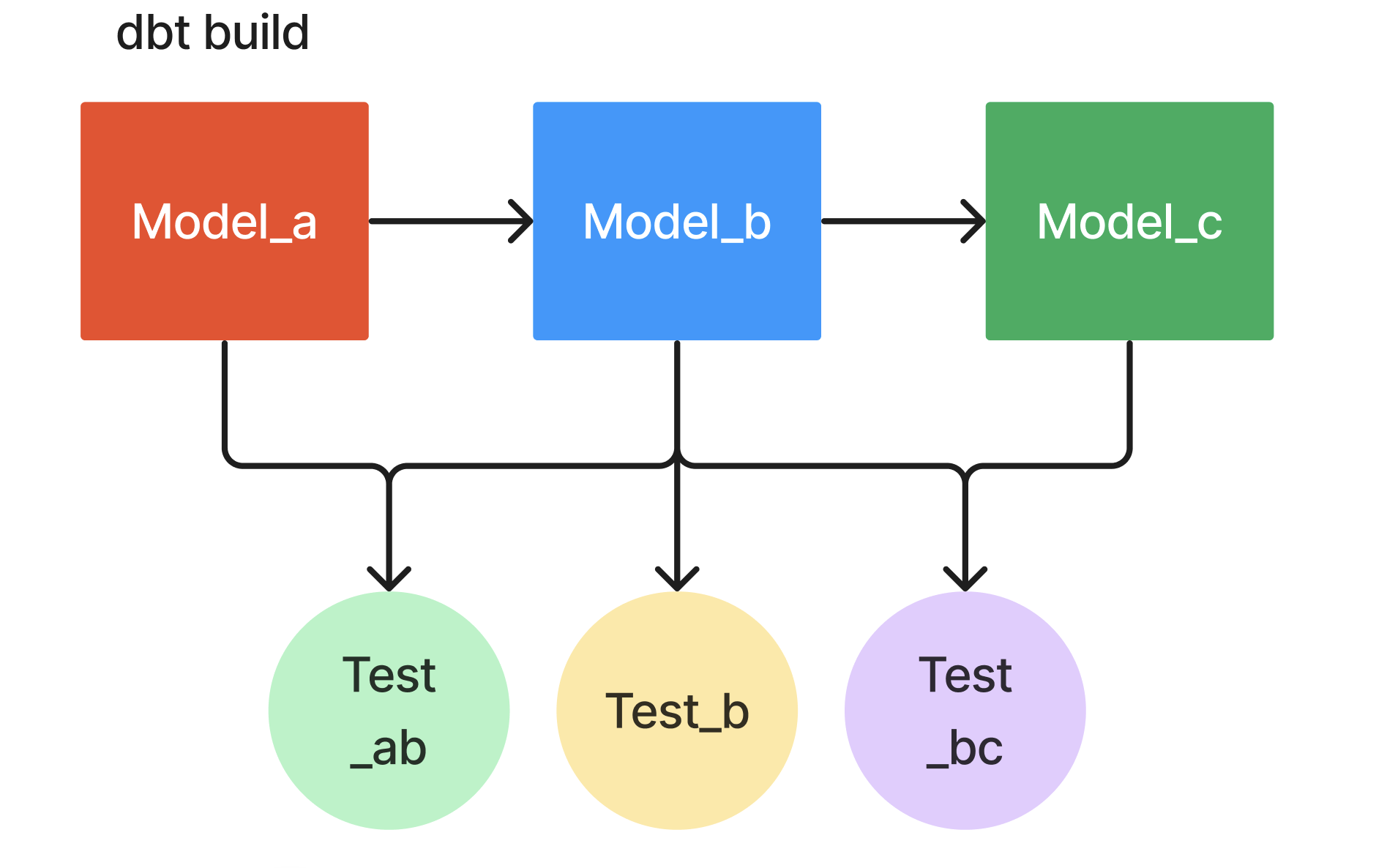 dbt build
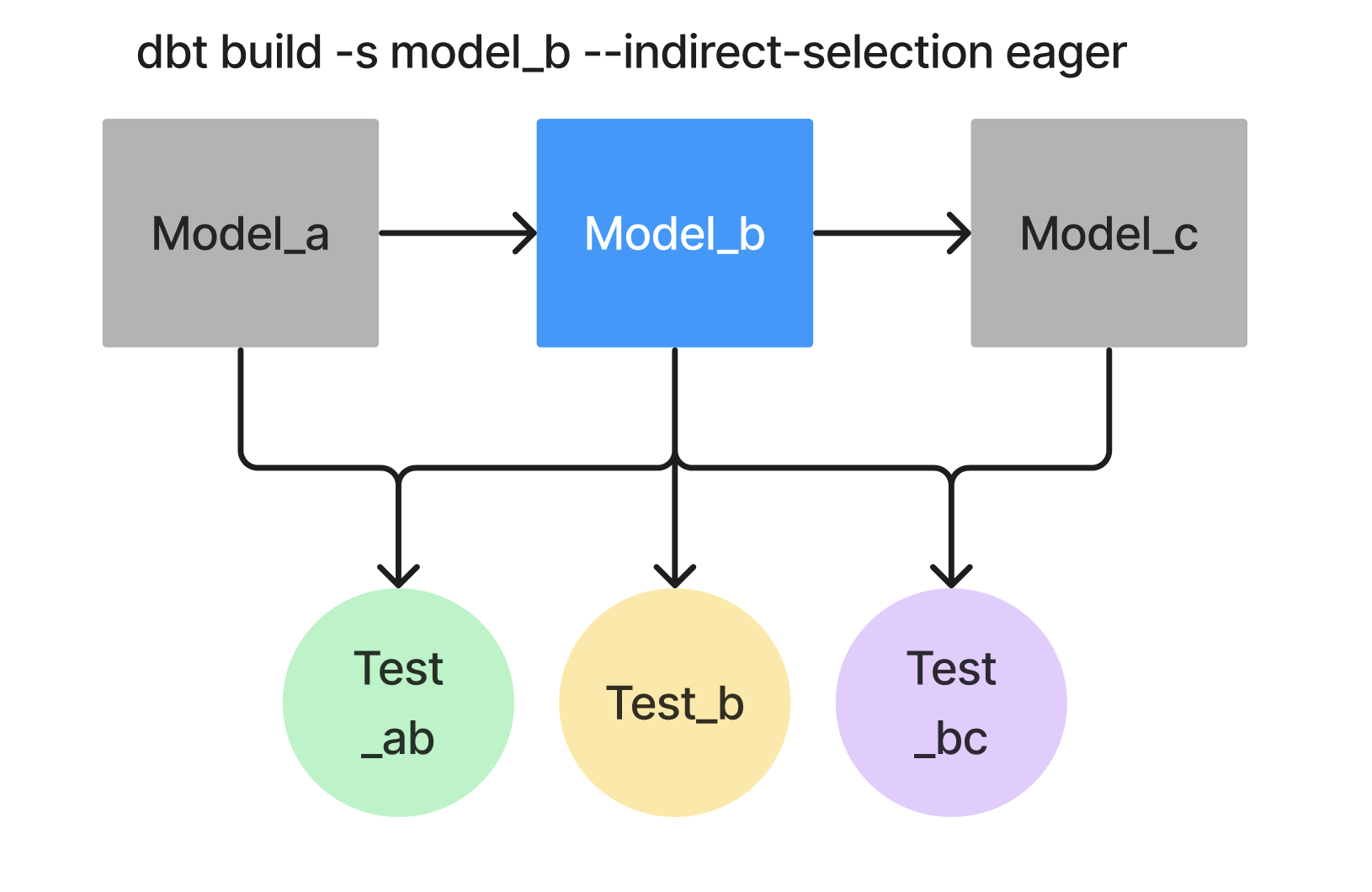 Eager (default)
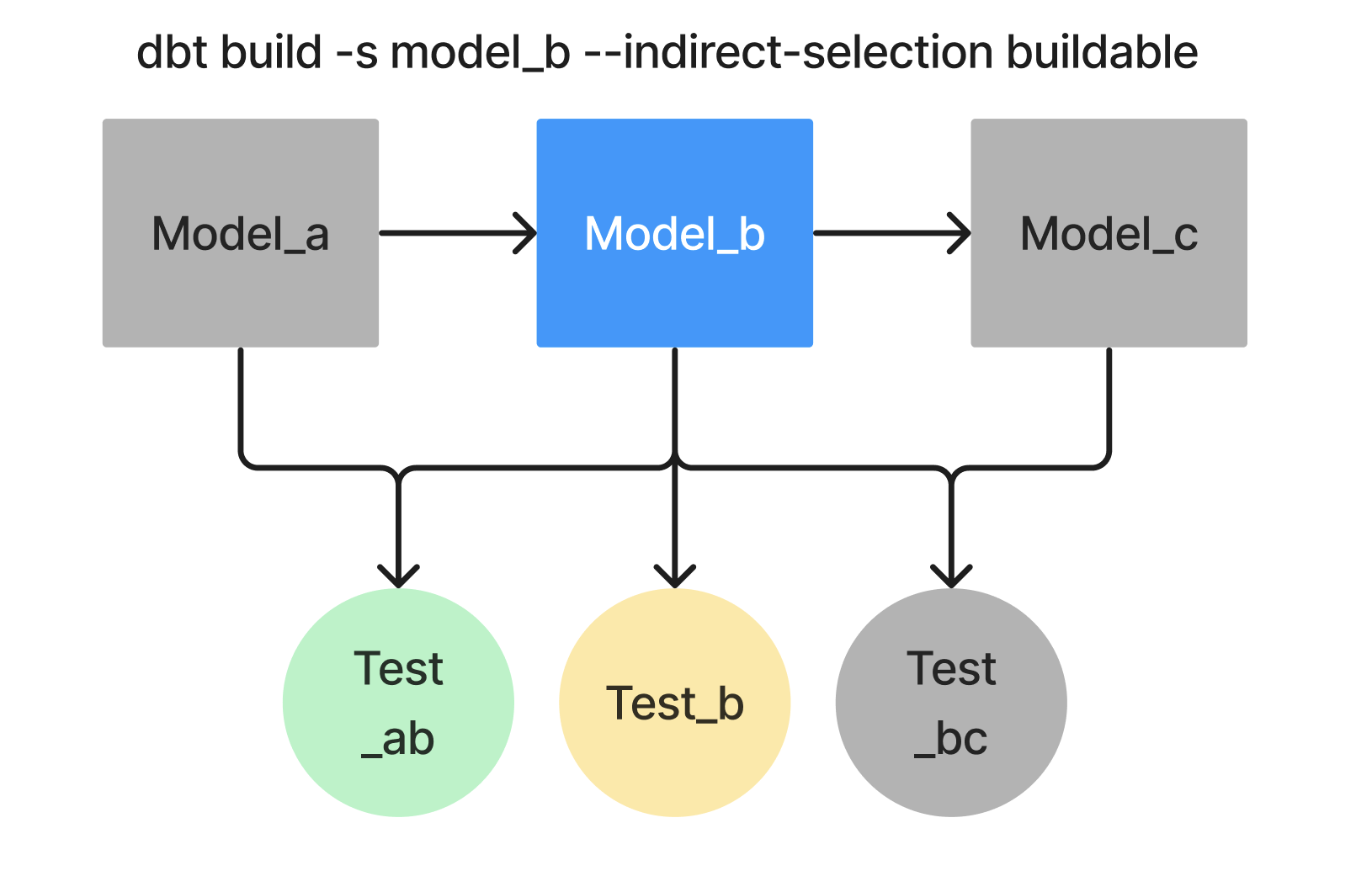 Buildable
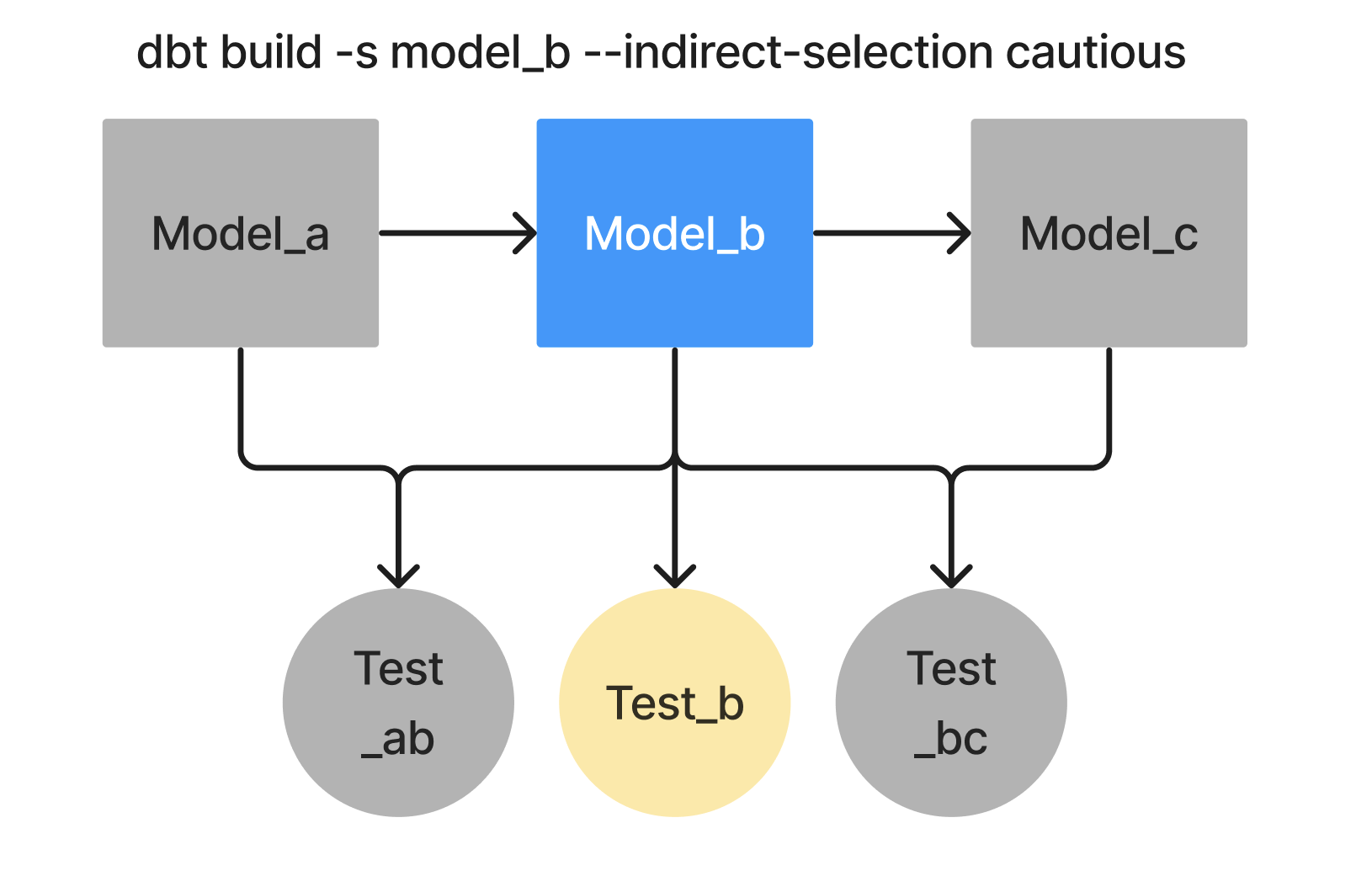 Cautious
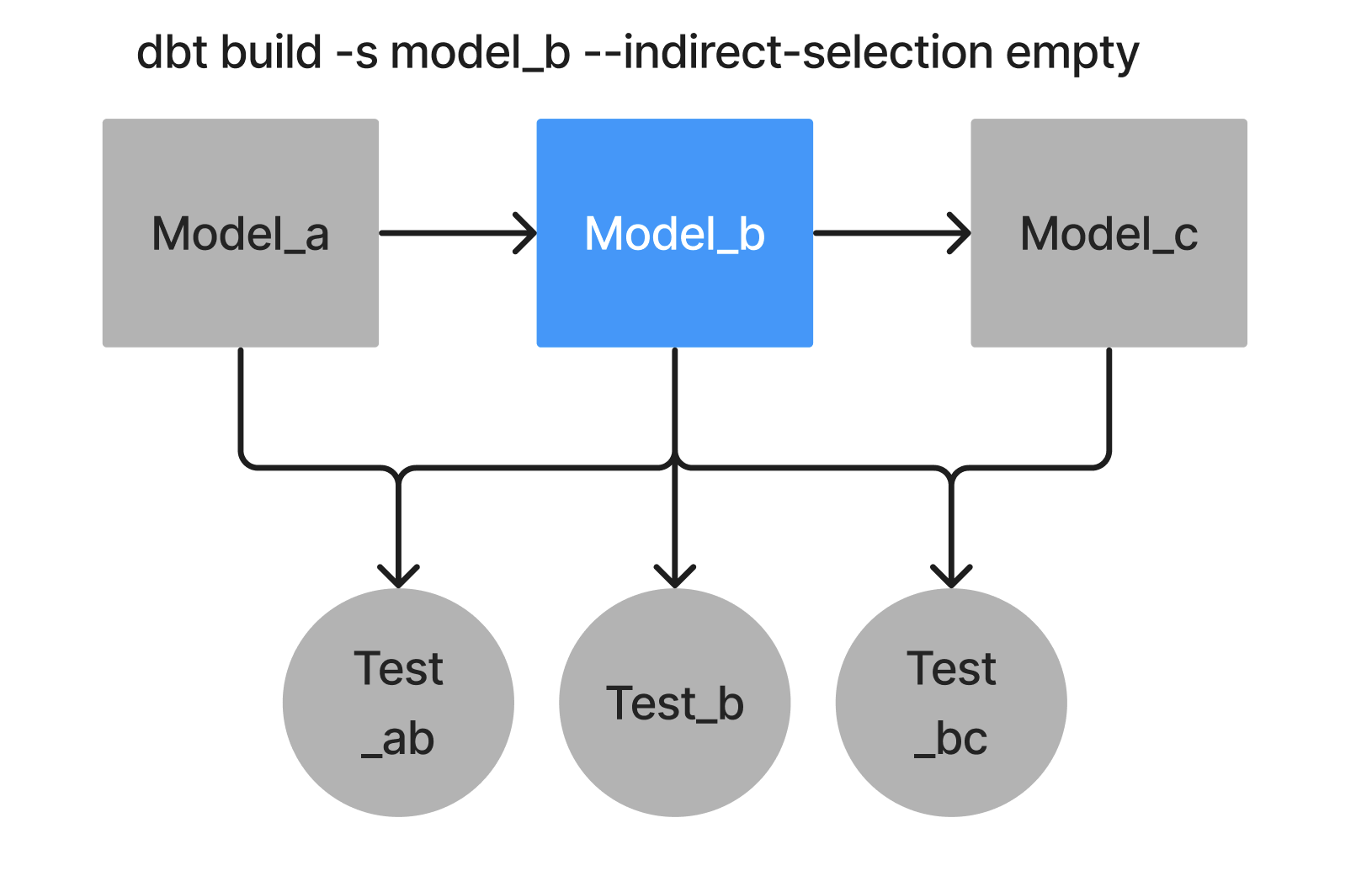 Empty
EmptyFor example, you can run tests that only refer to selected nodes using a CLI configuration:
dbt test --indirect-selection cautious
Or you can run tests that only refer to selected nodes using an environment variable:
$ export DBT_INDIRECT_SELECTION=cautious
dbt run
You can also run tests that only refer to selected nodes using dbt_project.yml project-level flags:
flags:
  indirect_selection: cautious
Was this page helpful?
This site is protected by reCAPTCHA and the Google Privacy Policy and Terms of Service apply.